How to use the Loyallyst CRM system
Which customers have not returned in a while? Who needs a reminder about their points? And did the latest promotion generate sales? In Loyallyst, you can find the answers in one account and move straight to action: select customers, prepare an offer, and set up delivery.
Here, the loyalty program is connected to your customer database, purchase history, and marketing. That is why it is best to start learning the CRM with a clear task. For example, bring back guests who used to visit every week but have now stopped coming.

What does Loyallyst CRM look like inside?
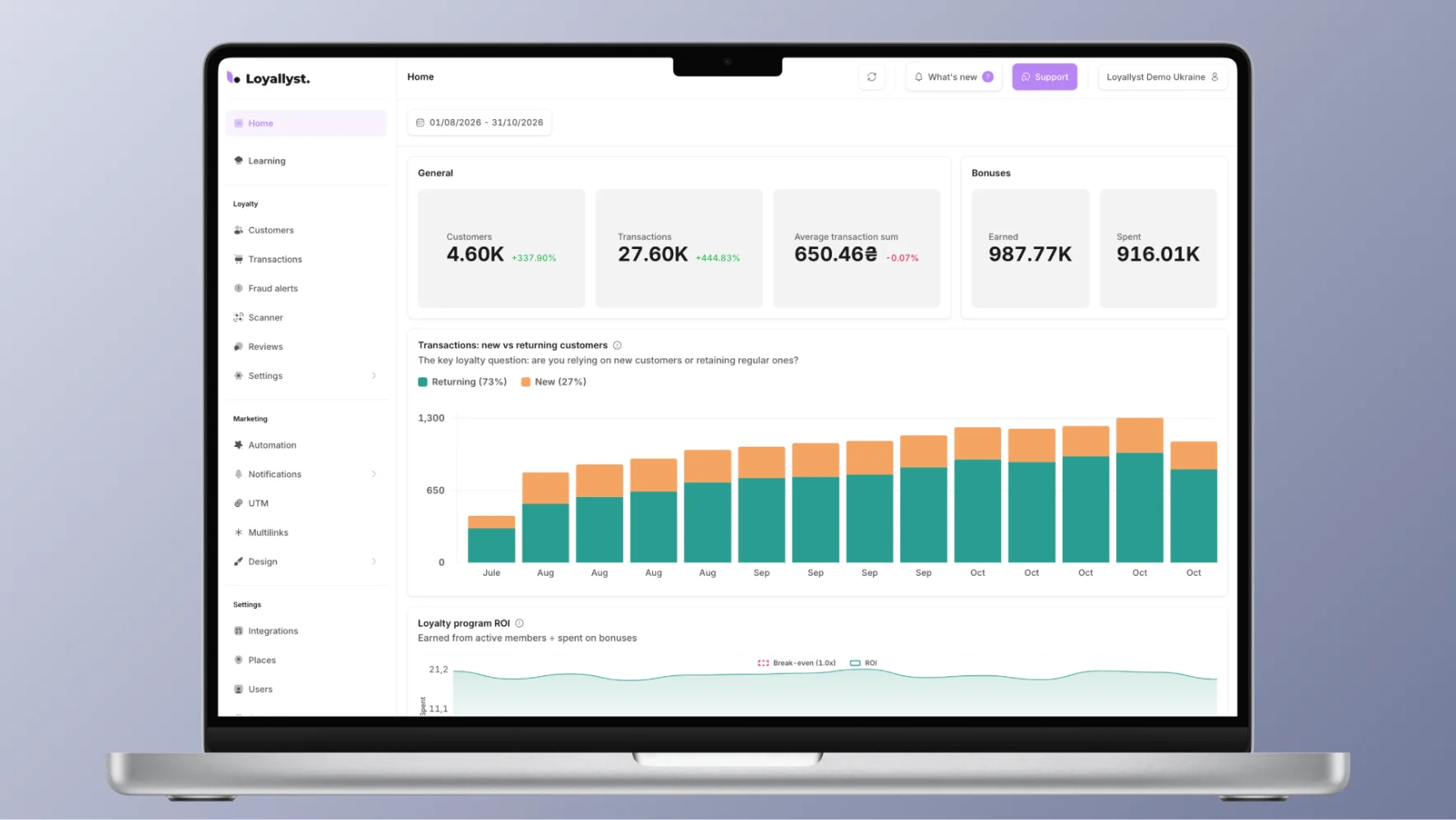
After signing in, you work in the admin panel. The home page brings together business and program metrics, while separate sections help you explore the details:
- Customers — find a buyer, view their profile, and select an audience using the criteria you need.
- Transactions — check purchases, points accruals and redemptions, and group transactions.
- Reviews — see ratings and comments that need your team’s attention.
- Automations and campaigns — prepare messages and the conditions for sending them.
The customer profile contains contact details, loyalty group, points balance, and activity history. If someone asks where their points went, start with their transactions: it makes it easier to investigate a particular purchase.
How do you set up access to the CRM?
On the Loyallyst website, choose the free start or a consultation. You can try the platform for seven days; no custom development is needed to get started.
Before connecting, prepare information about your business: how many locations you have, where purchases are recorded, and which POS system you use. If you want to receive receipts automatically, you will need a suitable integration. Have no POS system, or need to connect Loyallyst to another CRM? Mention this when you get in touch, and the team will suggest an available option.
A basic launch is possible in one day. Setting up integrations and complex scenarios may take longer, so agree on the timeline and required features before you start.
How should you configure the CRM before launch?
Do not try to fill in the entire account in one evening. First, prepare what your earliest members will encounter.
Define the reward rules. Choose points, discounts, or tiers, and decide what earns customers a benefit and how they can use it. If you have not settled on a mechanism yet, the article “What is a loyalty program?” will help you compare options before configuration.
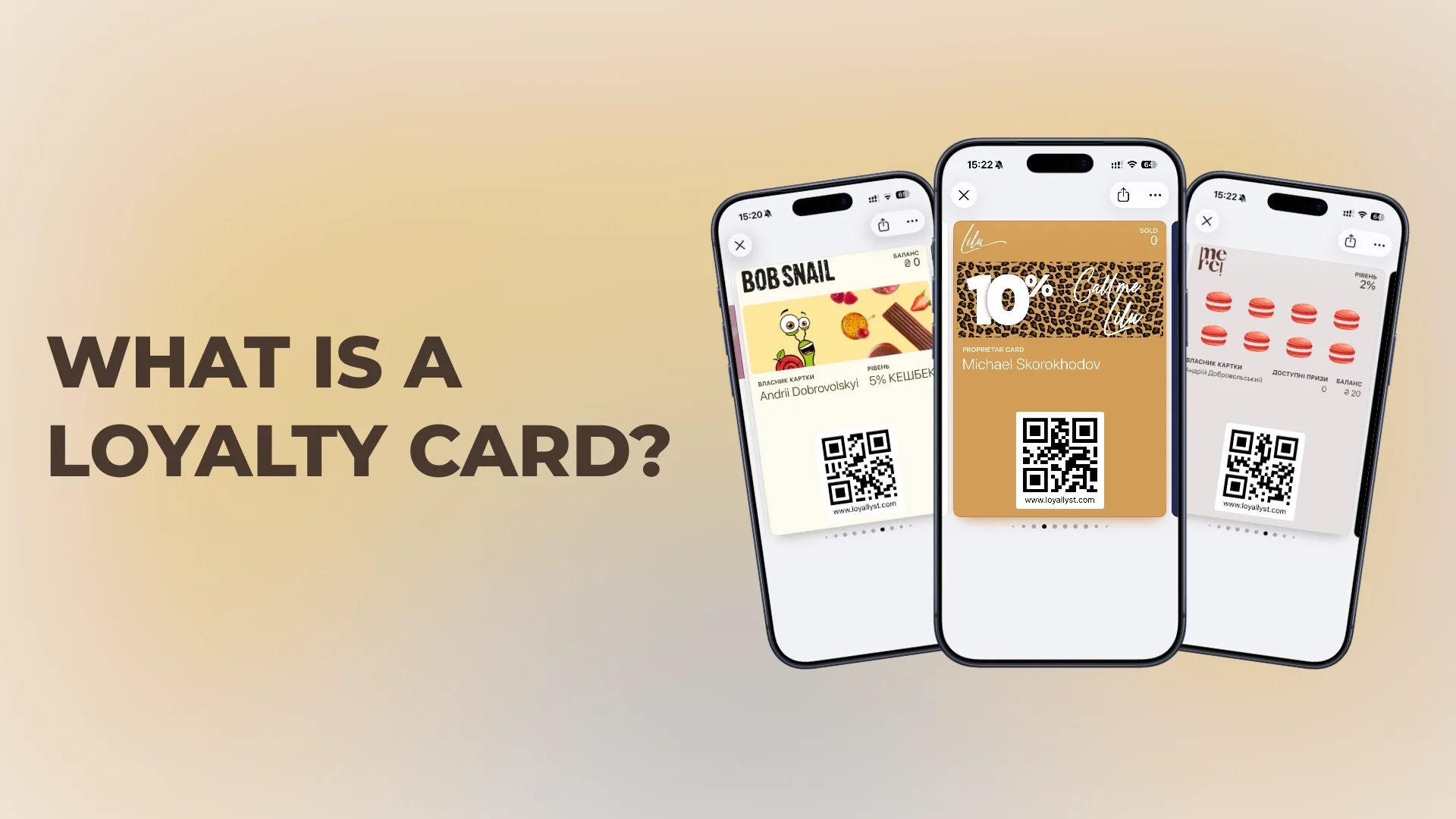
Design the card. Add your logo, brand colors, and a banner. In Loyallyst, you can set separate designs for loyalty groups and tiers. Check whether customers can easily recognize your brand on their phone screens.
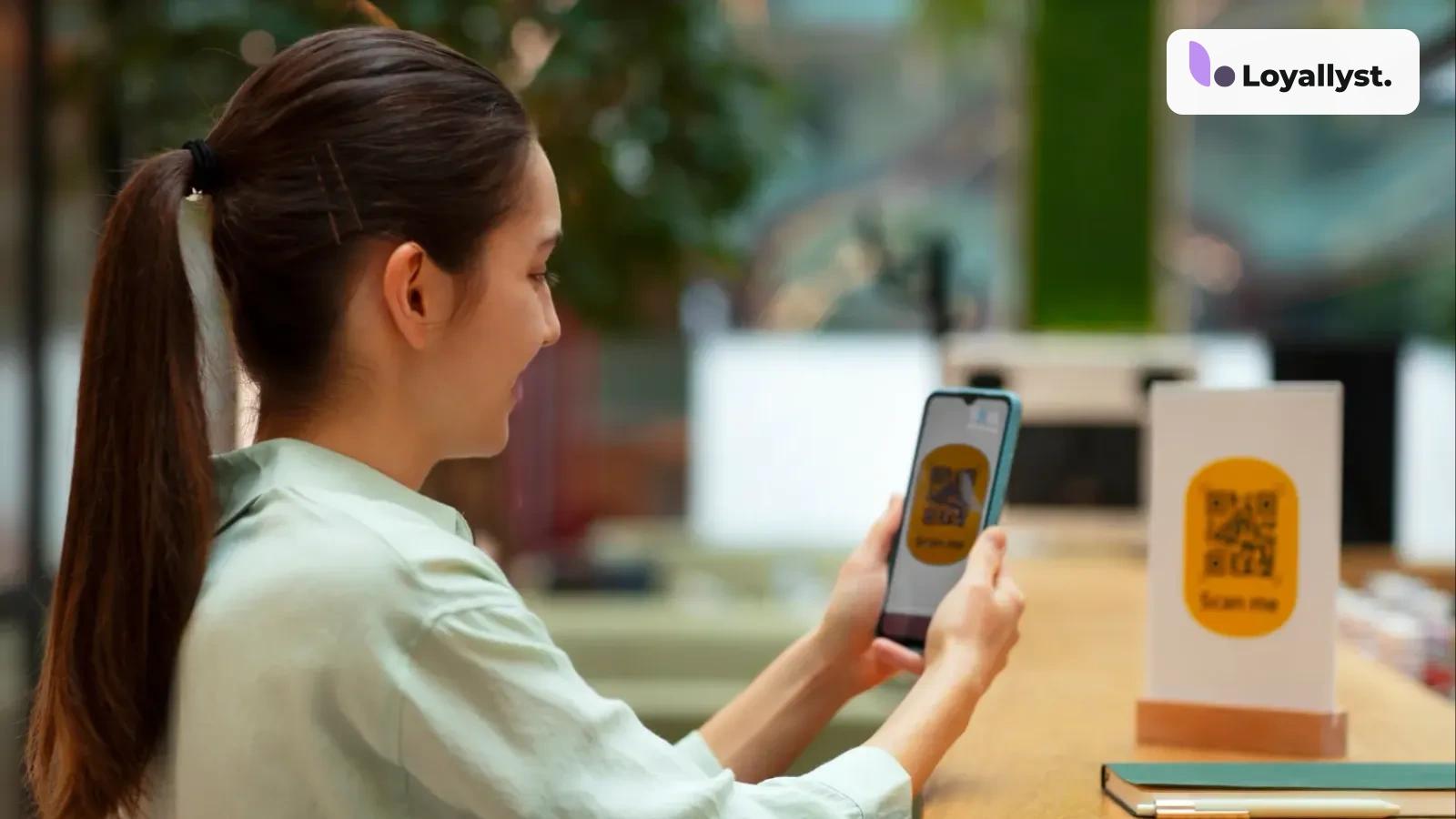
Prepare registration. Decide where people will see the QR code or link: at checkout, on a table, or on social media. Use UTM tags for different sources so you can later compare where registrations and purchases come from.
Test the customer journey. Register yourself, get a card, and make a test purchase. Then find the member in the database and check the transaction and balance. This will show you whether both the system and your employees are ready for launch.
How do you work in the CRM every day?
Start with customers you have something relevant to offer now. Open the Customers section and set filters. For example, select visitors to a particular location so you do not invite the entire chain to a local promotion. Check the size of the resulting audience before sending a campaign.
Suppose you want to remind guests with accumulated points about your business. Review their activity, select a suitable group, and prepare a message with a specific benefit. Instead of “We look forward to seeing you again,” explain what they can spend their balance on.
Then check the text, audience, and sending time. Notifications can be sent through the app and Apple/Google Wallet, while future campaigns can be prepared in the scheduler. For example, schedule a campaign in advance for the weekend, when the offer will be relevant.
Transactions is useful for investigating questions about points and comparing activity across locations. Grouping by customer, period, and transaction type helps narrow the search. Receipt details come through the connected POS system.
Reviews also deserve regular attention. If a customer complains about service, contact them and find out the details. A new promotion is unlikely to fix a problem nobody has investigated.
How do you use automated CRM workflows?
Once you are comfortable with manual campaigns, configure recurring actions in the visual builder. Set a condition, add a message, and, if needed, a pause and further steps.
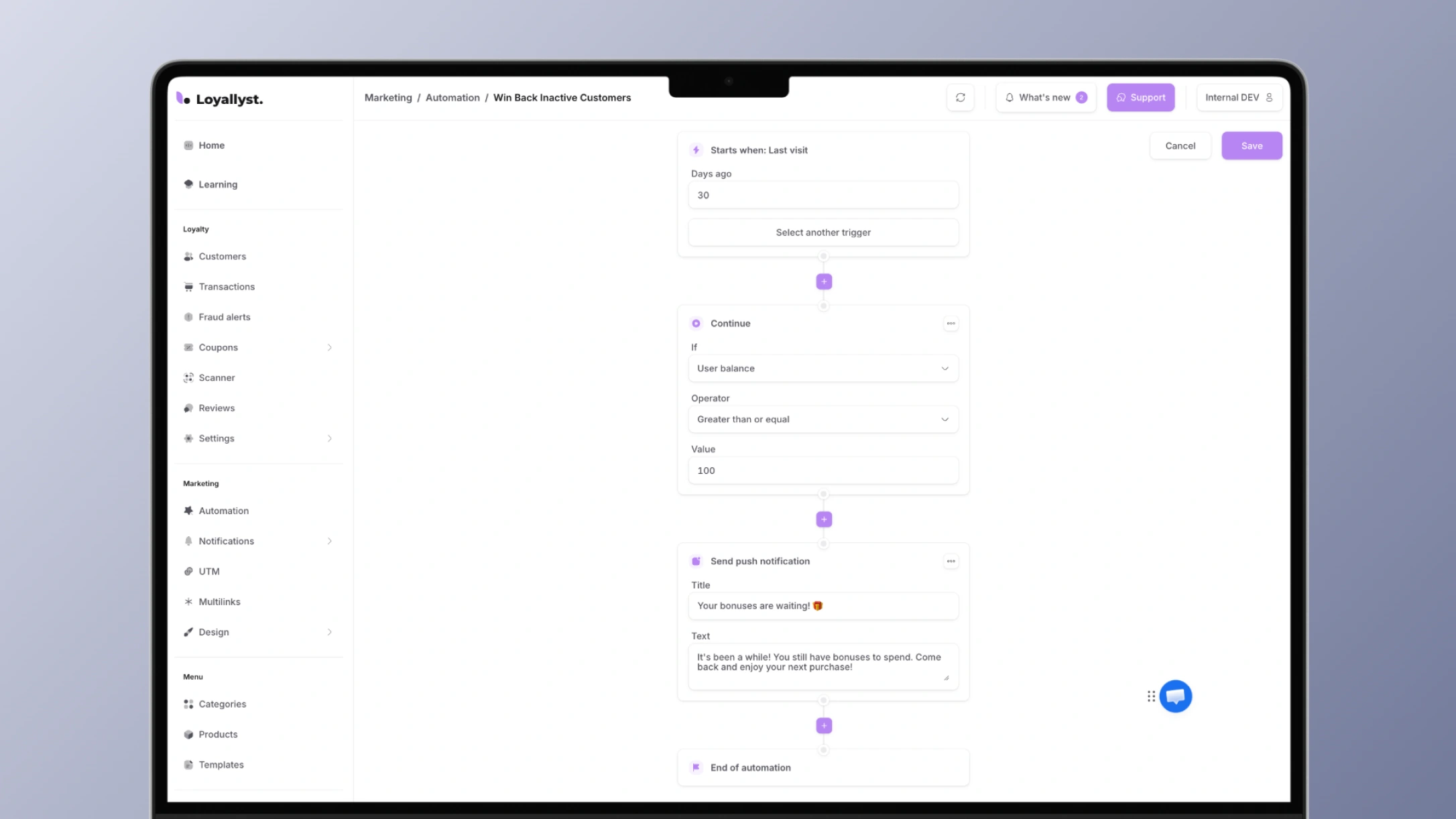
For example, a customer has not visited for a long time and still has enough points in their account. A workflow can remind them of their balance without preparing a list every day. Choose the period of inactivity according to the usual purchase frequency: it will differ for a coffee shop and a shoe store.
The home page is a convenient place to evaluate results. Look beyond points awarded to repeat purchases, average order value, ROI, and the program funnel. The funnel helps you see where the journey from registration to the next order breaks down.
To start with your business’s own tasks, set up Loyallyst CRM and try it during the free seven-day period. Pick one scenario, such as working with guests at a particular location. Using your own database will help you understand more quickly which filters, messages, and reports your team needs.

Frequently asked questions
Choose the free start or a consultation on the Loyallyst website. Prepare information about your locations, purchase records, and POS system. You can try the platform for seven days and agree on the integrations and timeline before launch.
Define the reward rules, design the digital card, and prepare registration through a QR code or link. Test the customer journey yourself: register, get a card, make a test purchase, and check the transaction and balance.
Find buyers and filter audiences in Customers. Review profiles, balances, and activity history, and investigate questions about points in Transactions.
Choose the audience, check its size, and prepare a message with a specific benefit. Check the text, recipients, and timing before sending. Notifications can go through the app and Apple/Google Wallet, and future campaigns can be scheduled in advance.
Set a condition in the visual builder, add a message, and include a pause and further steps if needed. For example, remind inactive customers of their balance. Choose the inactivity period based on usual purchase frequency, and assess results through repeat purchases, average order value, ROI, and the program funnel.