Unified customer database
One customer record in the CRM instead of Excel spreadsheets and separate services.
Launch your loyalty program —free for 7 days
Build a unified customer database, segment your audience, automate marketing, and protect bonuses from fraud in one CRM for sales and customer retention — without spreadsheets or disconnected services.
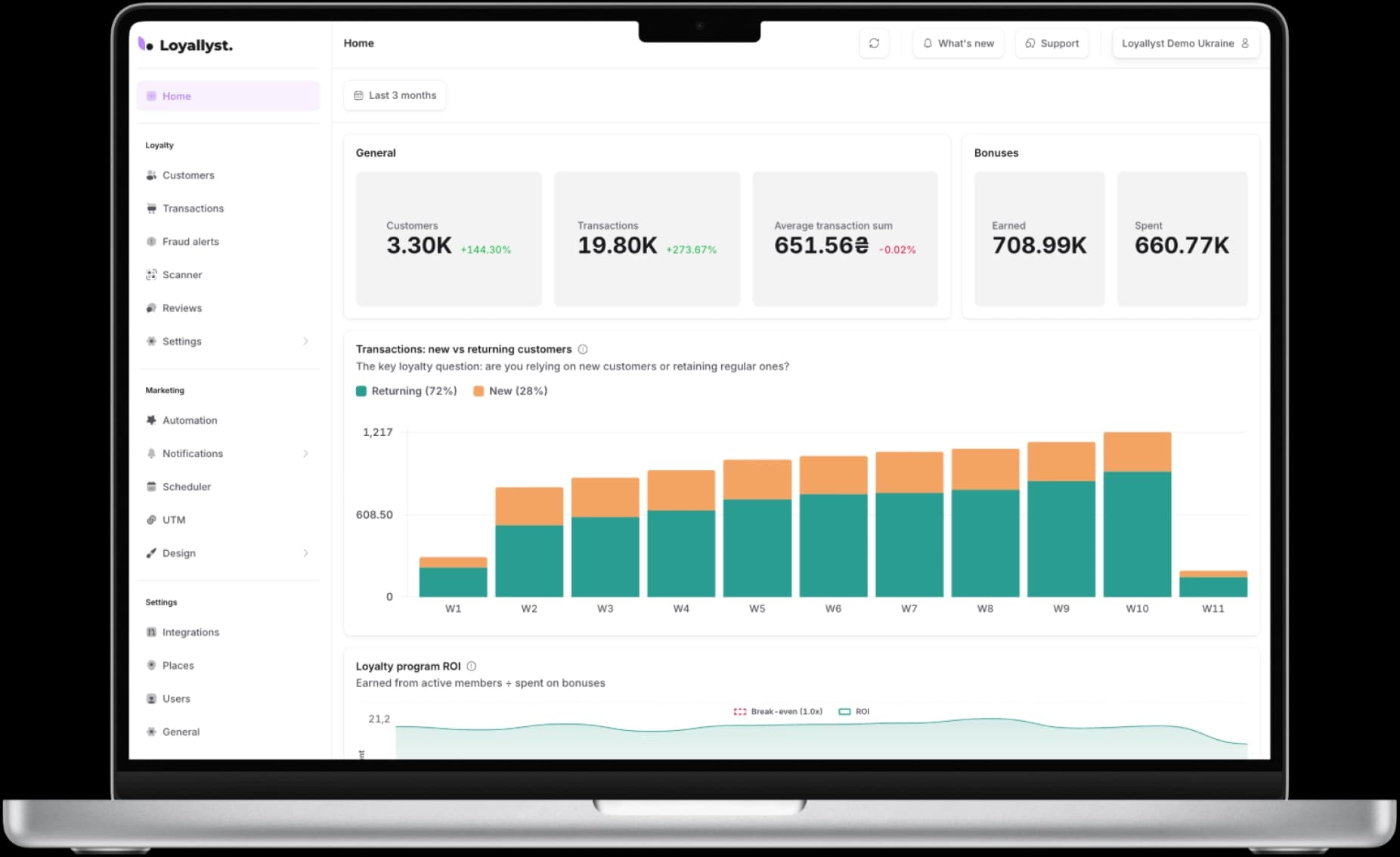
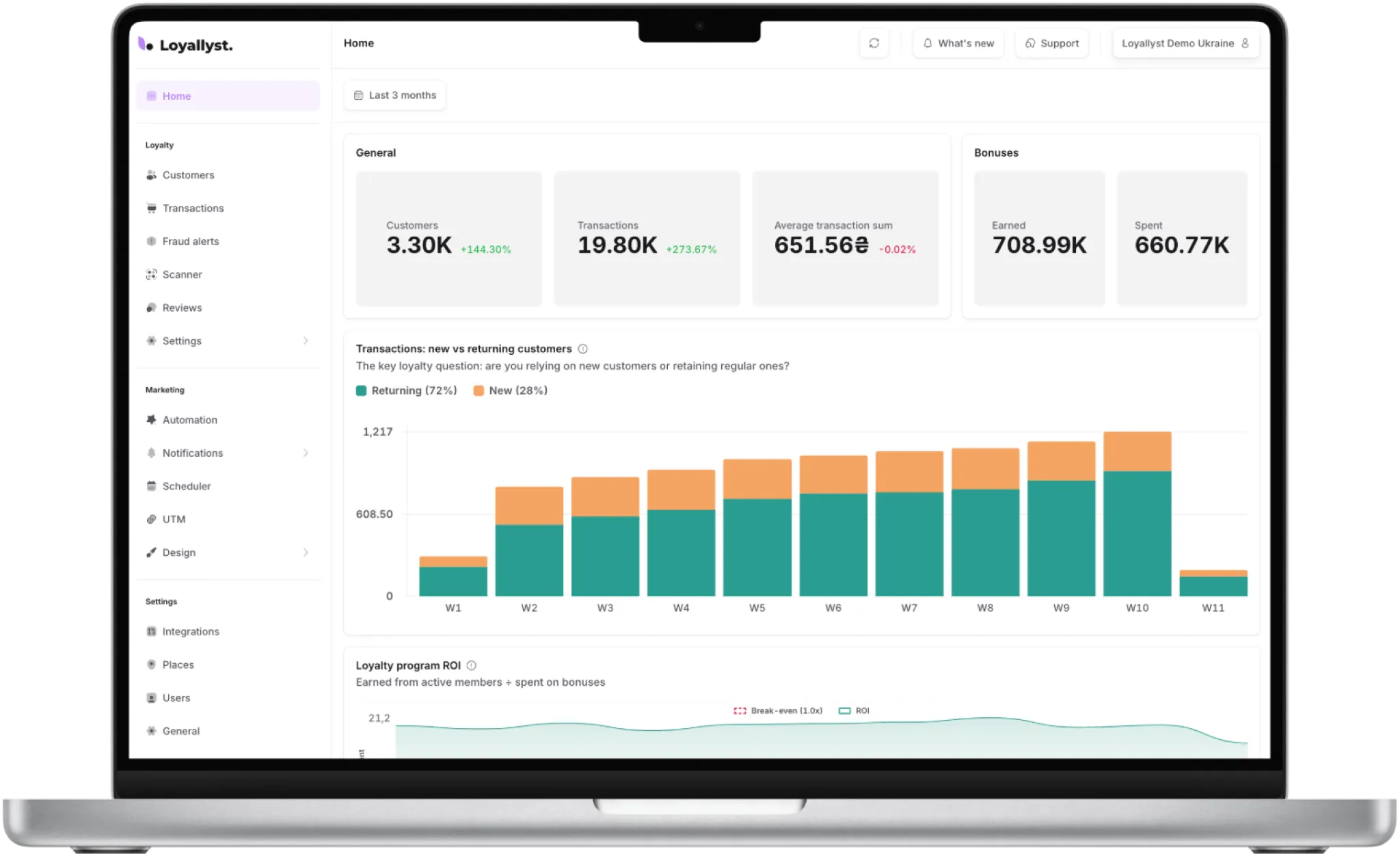
Five capabilities that show Loyallyst as a tool for analytics, retention, and repeat sales — a customer management system that helps you see results.
A short video tour of the Loyallyst test admin panel: where to find the main sections and how everything works in practice.
*The video shows a test admin panel. The interface in your account may differ slightly depending on your plan.
One customer record in the CRM instead of Excel spreadsheets and separate services.
Personalized offers only for the customers they are relevant to.
Scenarios run 24/7 without being manually launched by a marketer.
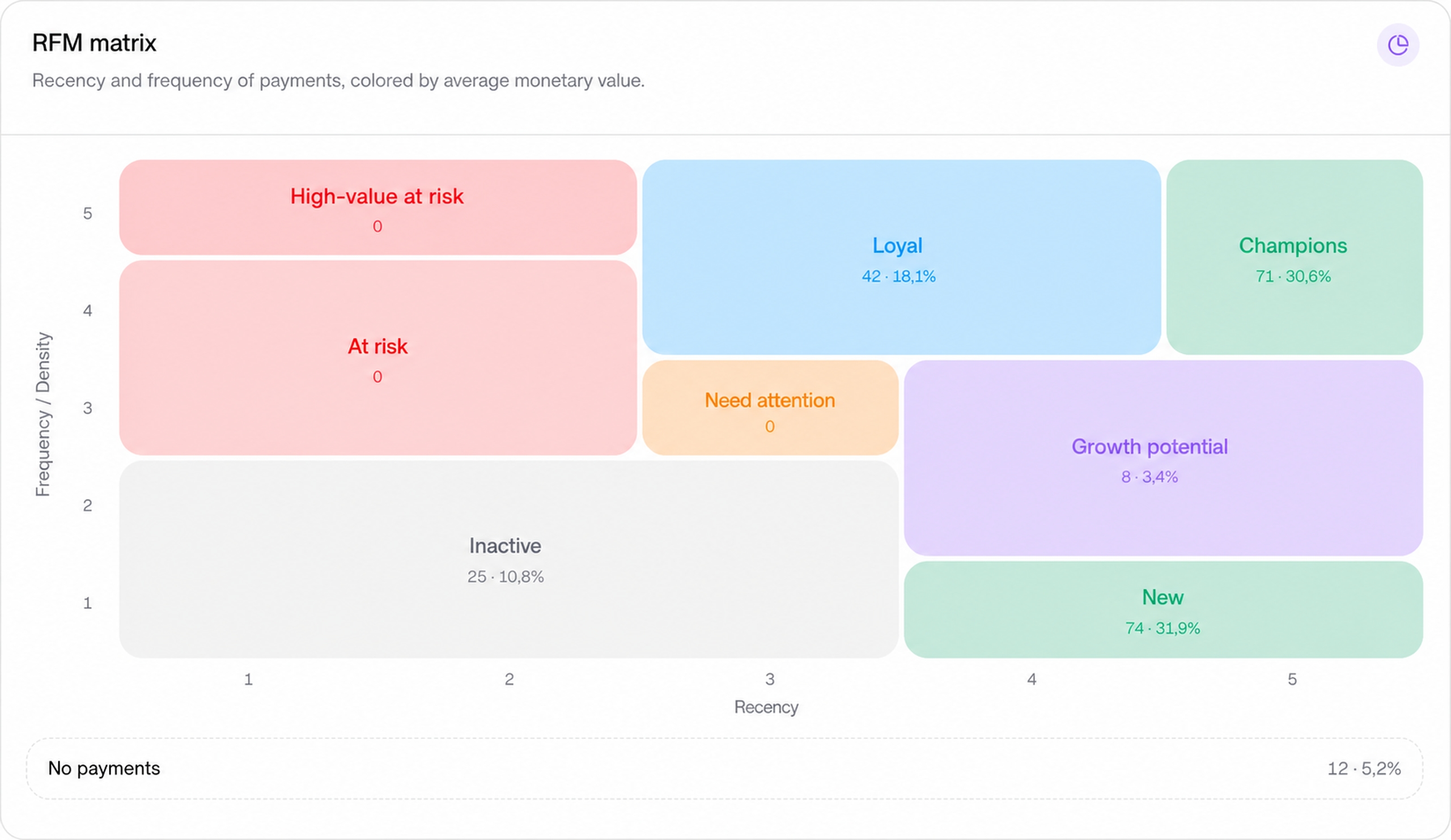
Find those who generate the most revenue — and those it is time to win back.
The system automatically flags suspicious bonus accruals for review.
Program ROI, average order value, and sales trends for each location.
RFM analysis in the CRM segments customers by recency, frequency, and purchase amount. Instead of one shared database, you get groups with different value and churn risk.


After registration, the CRM automatically creates a customer profile with contacts, loyalty tier, bonus balance, purchase history, and activity — all in one feed.



Filter the CRM database by the criteria you need and check the exact audience size before sending a campaign. For example, you can communicate only with customers who visit a specific location in a chain without affecting the other locations.
After a purchase, the CRM automatically collects reviews and requests a rating. Set up automated responses — the system will route the feedback to the appropriate channel.
The customer immediately receives an automatic thank-you reply, while positive reviews strengthen the business’s public reputation.
A negative review is not published automatically — a notification is sent to a dedicated Telegram channel for a quick response. The team can contact the customer directly and resolve the situation.
Build a scenario once in the visual builder — CRM automation takes care of launching it, with no repeated manual actions from a marketer.
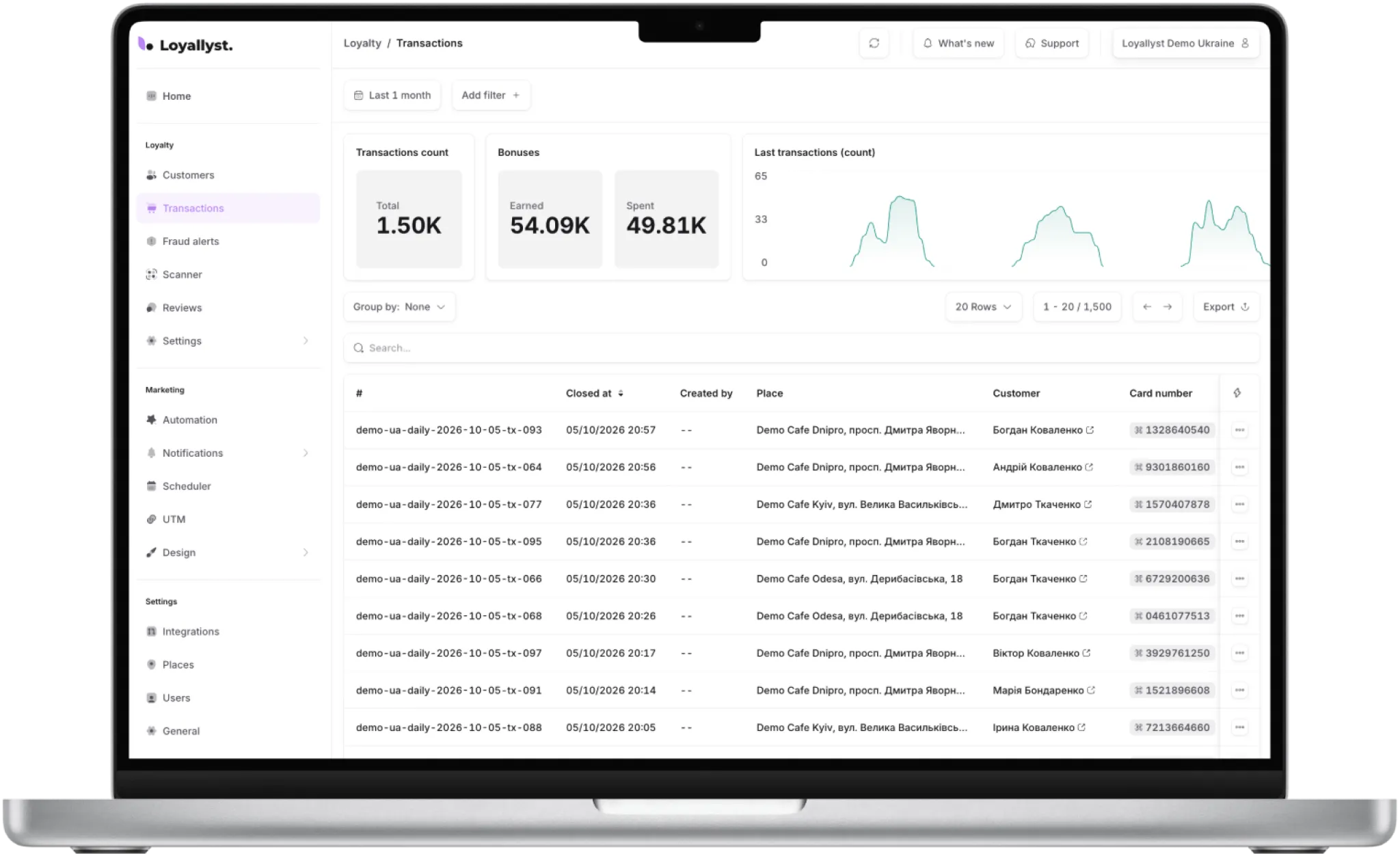
All bonus accruals, redemptions, and purchases are in one CRM section, with no need to export POS reports. Group the data by customer, location, period, and transaction type to immediately see where customers accumulate and spend bonuses more actively. Through its POS integration, the CRM also pulls in the receipts themselves, including their number, total, and purchased items.
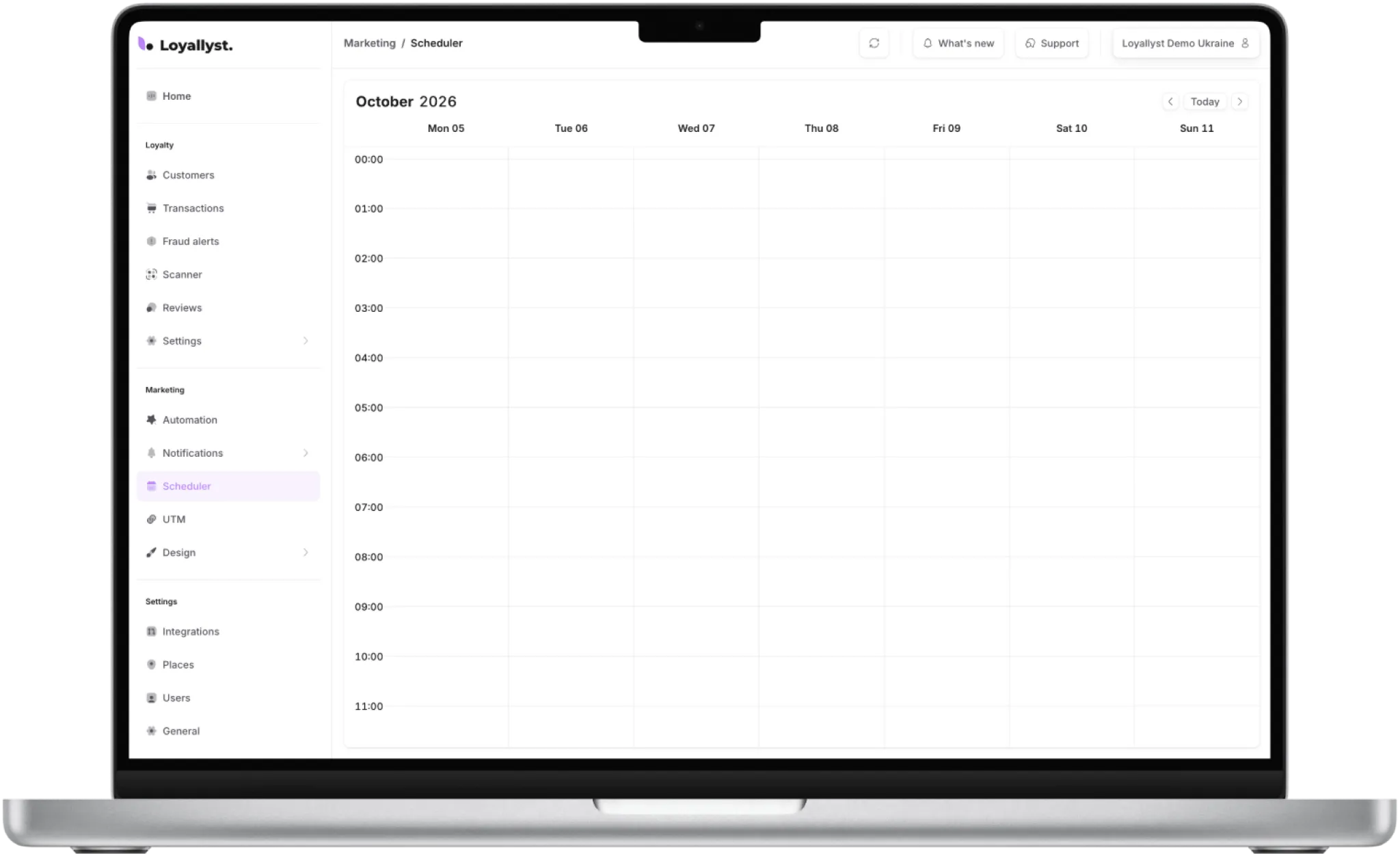
Prepare campaigns in advance and manage all campaigns in a single CRM calendar — without manually launching them at the last minute. You do not need a separate employee just for these tasks: set up push notifications and campaigns in advance. The CRM will send them on schedule and automatically archive completed campaigns.
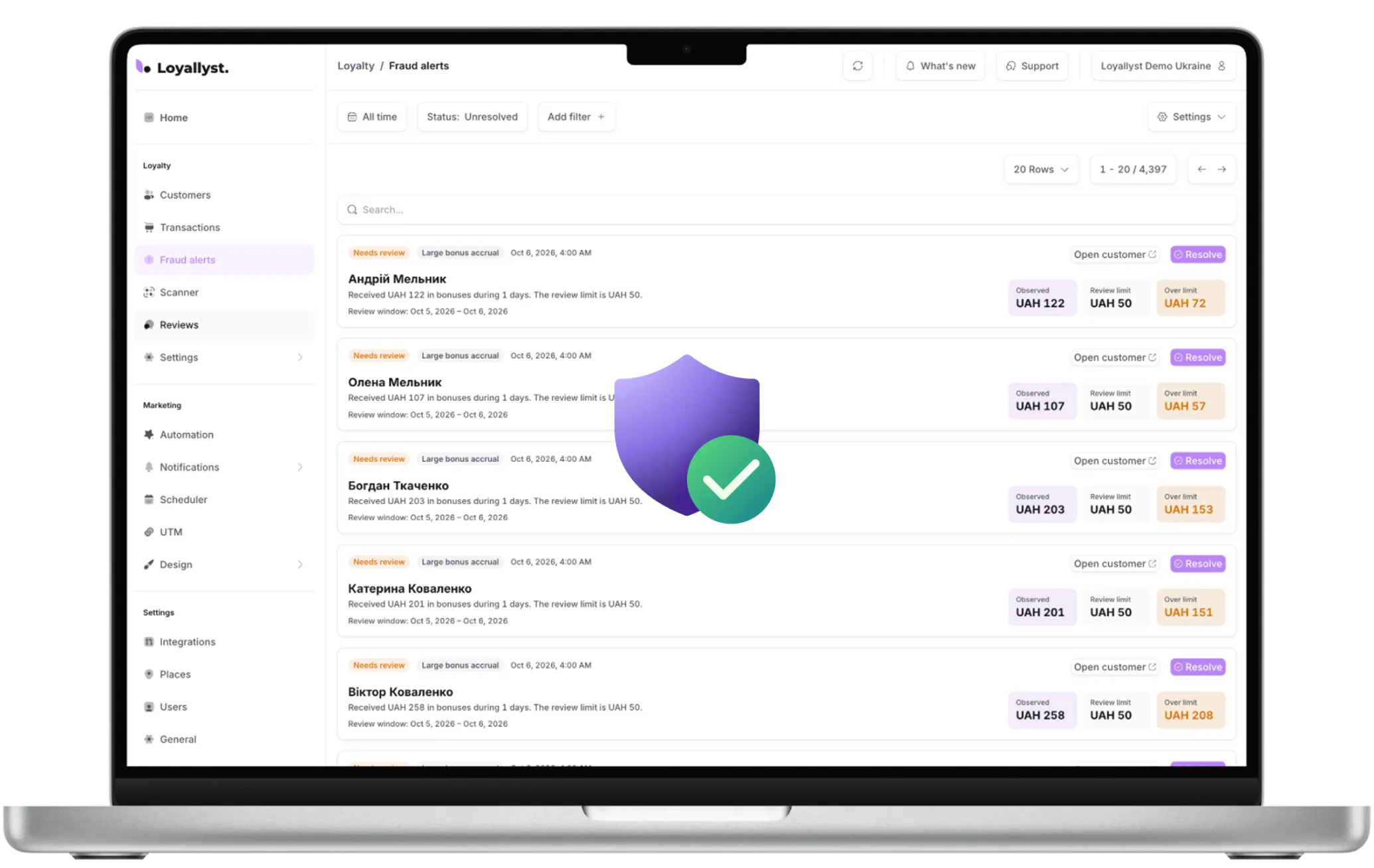
The CRM automatically flags bonus accruals above the configured threshold — so you can review them before a problem arises.
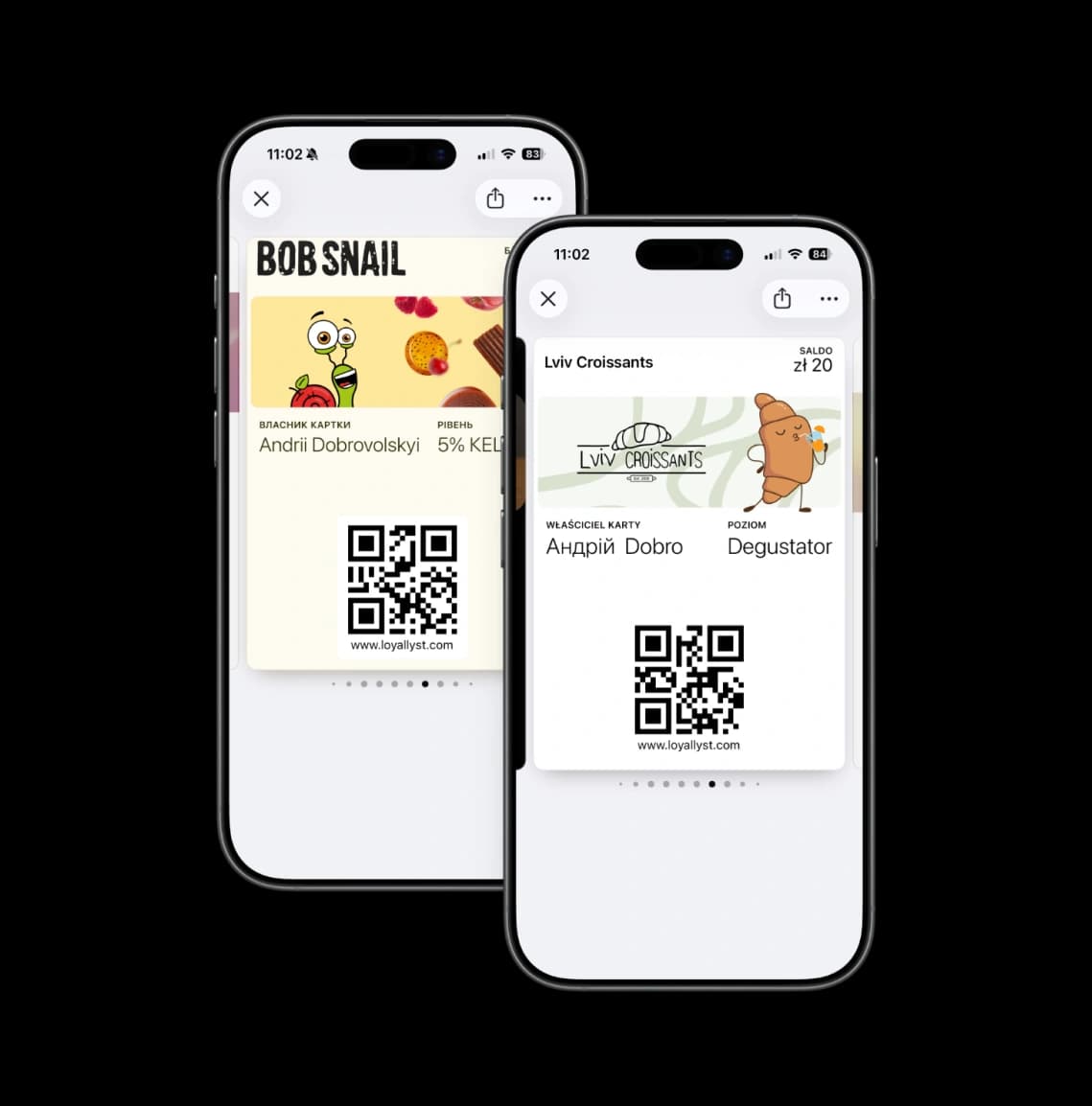
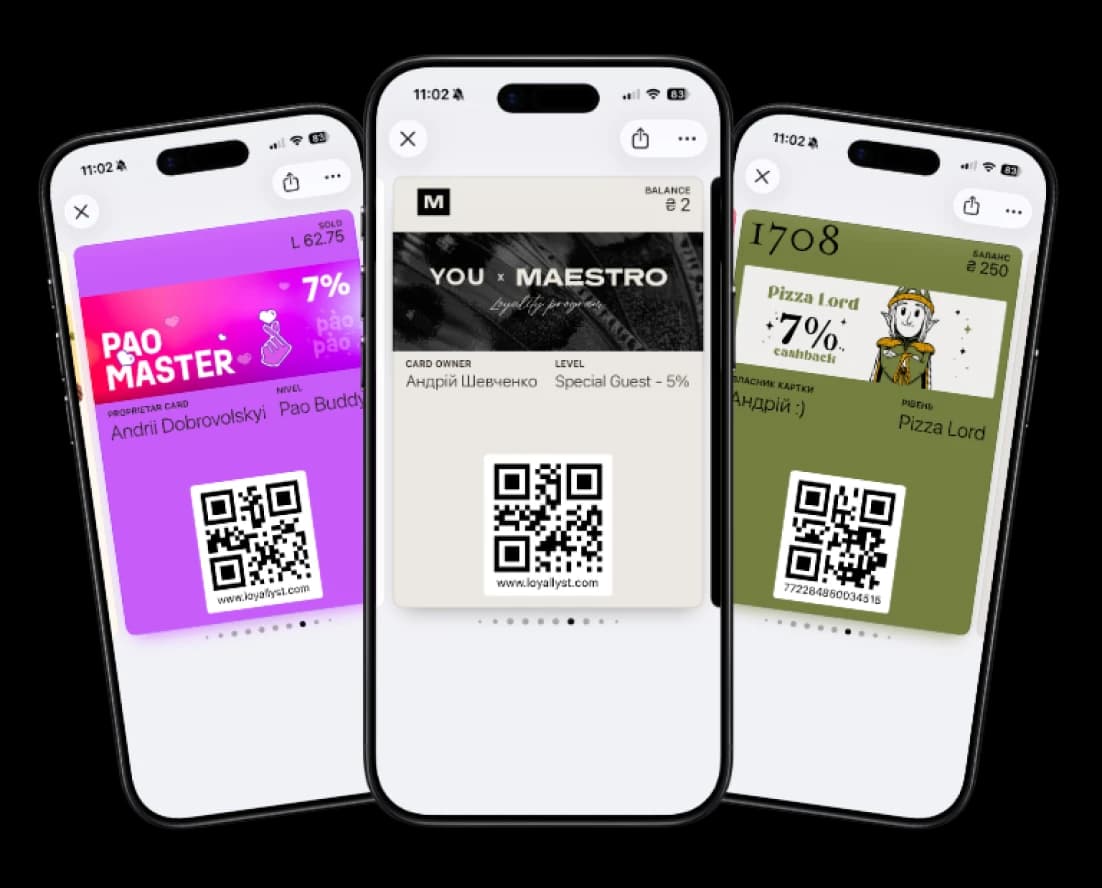
App push notifications, Apple/Google Wallet, and geo-push — free, with no SMS and no per-message fees — with a live audience preview before sending.
Personalized notifications based on name, balance, and loyalty tier.
Messages arrive directly on the customer’s loyalty card.
Notify customers when they are near your location and share news with external links to your website, menu, or social media.
Set the logo, colors, and banner separately for every customer group and loyalty level. Changes update automatically on the customer’s phone.
Launch your CRM in 1 day — without developers or unnecessary spreadsheets.
Traditional sales CRM systems usually help manage deals, orders, and manager tasks. Loyallyst focuses on repeat purchases by combining the customer database, bonuses, analytics, and communications.
It is a customer relationship management system that stores and analyzes customer data. In Loyallyst, you manage bonuses, loyalty tiers, and campaigns, while automated scenarios help maintain customer communication. Purchases, activity, and communication history are collected in one CRM. Read more in our article “What is a CRM system?”.
The right connection option depends on how you collect purchase data and award bonuses. Automatic receipt imports require an integration with your POS system. If you do not use a POS system or need an integration with another CRM, mention it in your request and we will discuss the available options before launch.
Loyallyst includes fraud control: the CRM automatically flags accruals above the configured threshold. You can review suspicious transactions and determine their cause. This helps you control bonuses, but a system flag alone does not necessarily indicate a violation.
A basic CRM launch is possible within one day. The setup time for integrations and automated processes depends on your needs. No custom CRM development is required to get started: you connect a ready-to-use platform. Before buying a CRM, try Loyallyst free for 7 days and discuss the implementation terms with our team.